An interface for the driving context
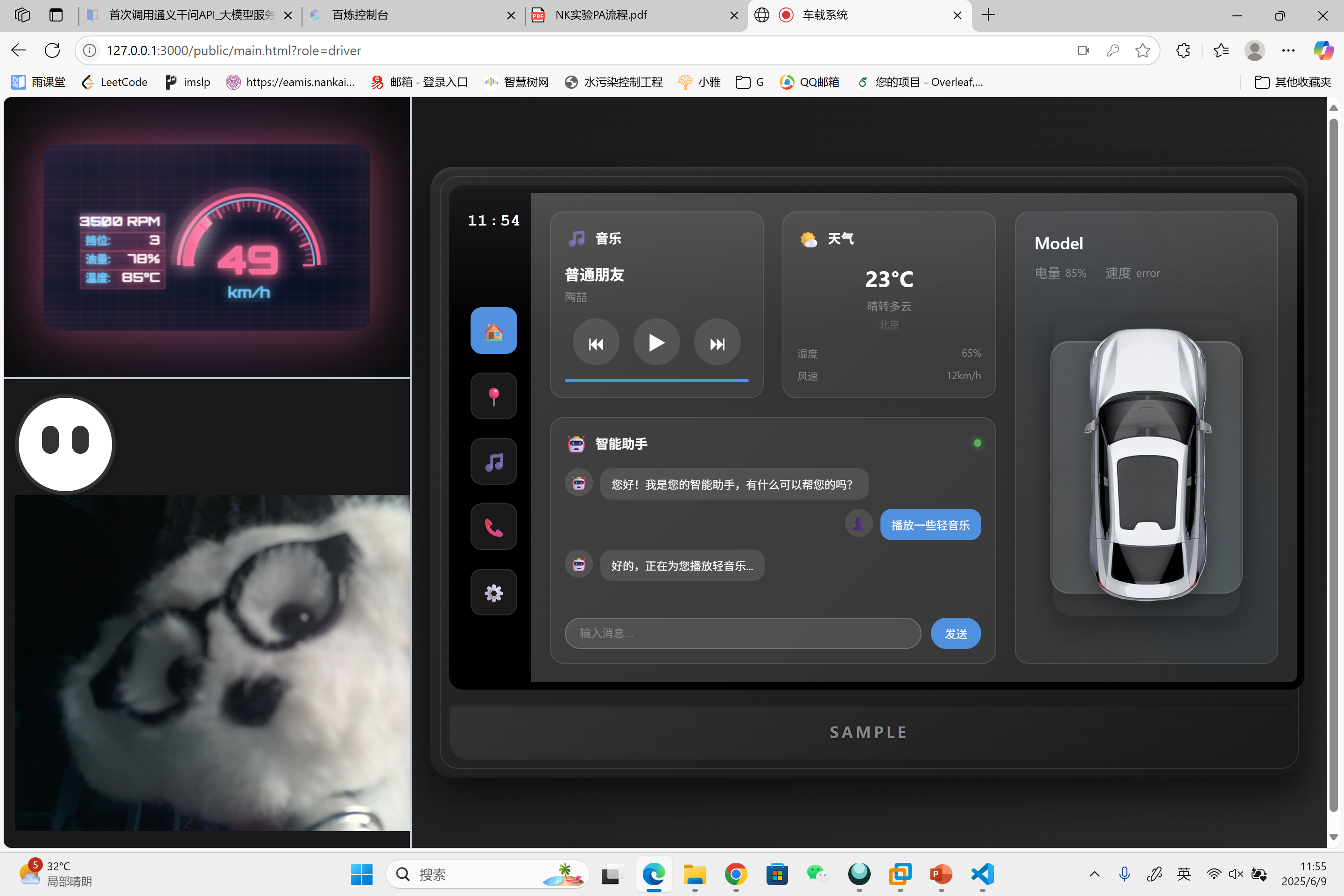
This 2025 team project explored a multimodal in-vehicle interaction system. The prototype brings voice, gesture, and visual recognition together with an on-screen interface for common driving tasks. Reducing manual interaction and driver distraction were design goals; the presentation does not report a measured safety outcome.
My role
- Deployed the voice recognition model for the prototype.
- Co-designed the in-vehicle interface and interaction logic.
The presentation credits other team members with gesture and visual model deployment, multimodal data fusion, frontend APIs, communication, planning, and testing. The screens below document the team’s prototype, not individually authored features.
Interaction and system
The driver view combines vehicle information, weather, media controls, an assistant conversation, and a visual input feed. The system architecture separates the frontend interface, backend services, and multimodal recognition. The presentation identifies SenseVoiceSmall for speech recognition, MediaPipe GestureRecognizer for static gestures, Porcupine for wake-word detection, and a Volcengine text-to-speech service. Its dynamic gestures use rules built on static gesture recognition.
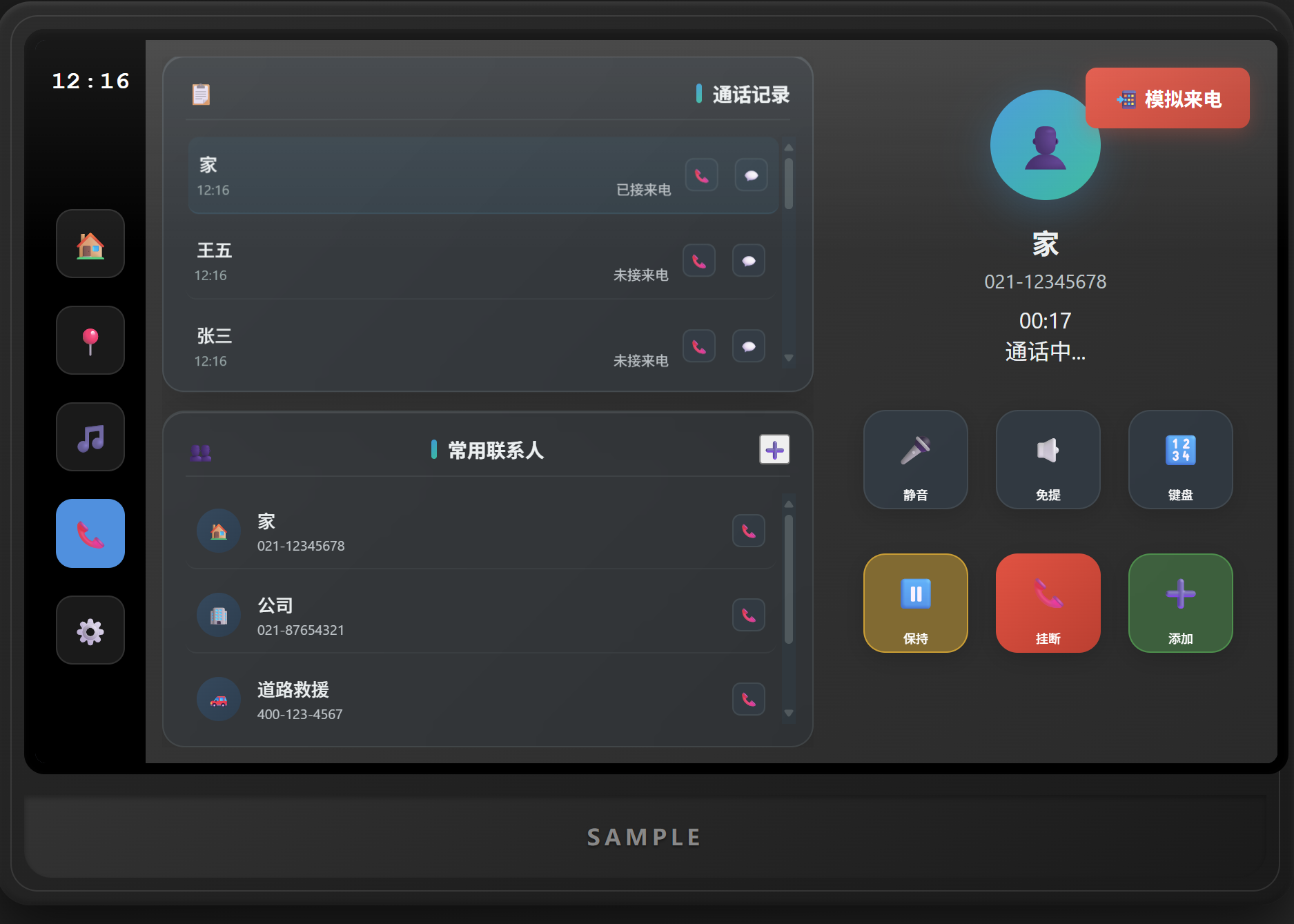
Handle calls within the driver interface
The phone flow shows call history and contacts beside a dial pad. During a call, the interface exposes mute, speaker, keypad, hold, and hang-up controls.
Keep navigation visible
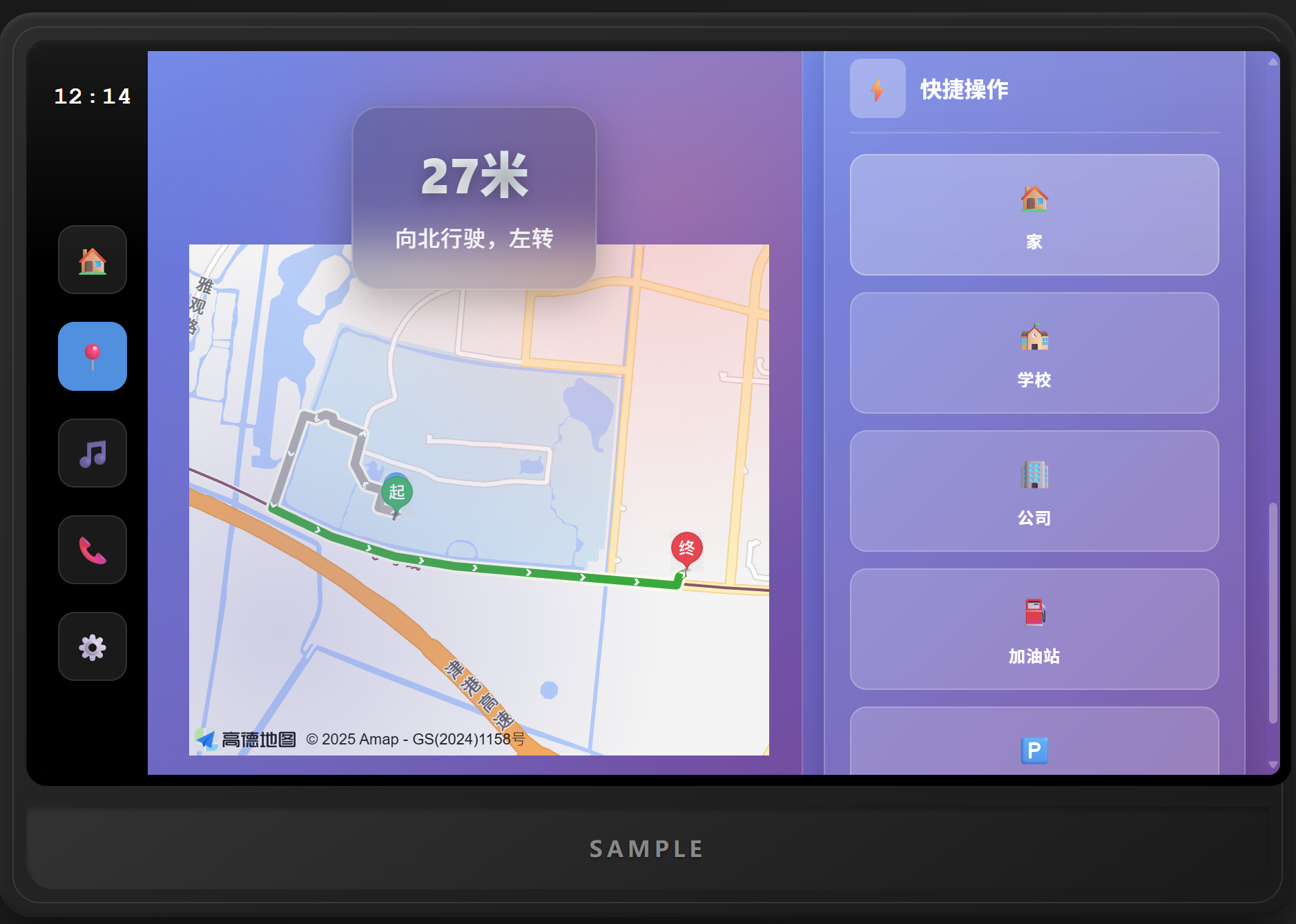
The navigation view pairs a map and next-turn instruction with quick destinations. The presentation also describes destination search, route planning, and live navigation.
Control media from the same shell
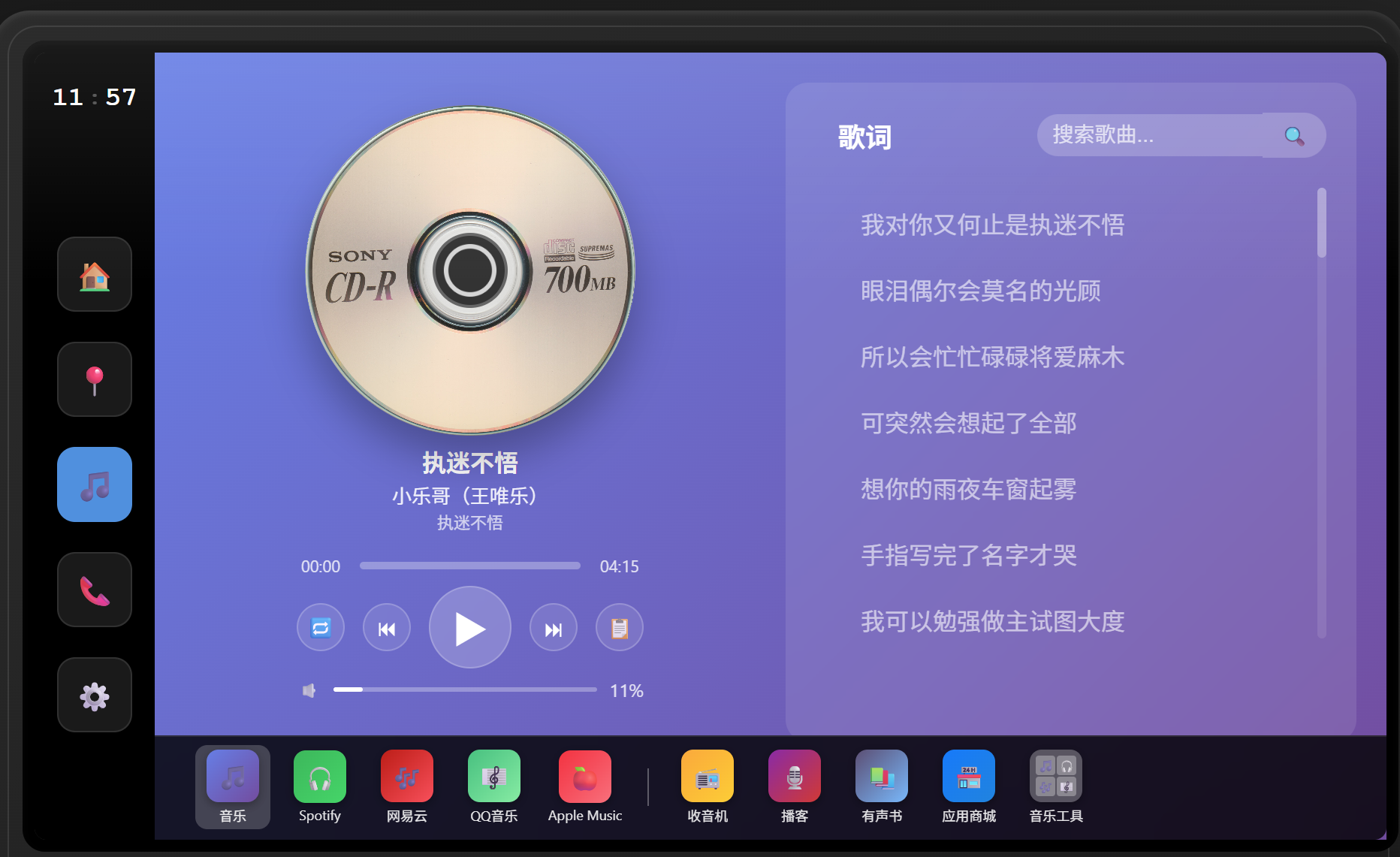
The media view includes playback, track progress, volume, and lyrics. Navigation between functions stays in the left-side rail used across the driver screens.
Review vehicle settings
The short recording moves through service information, network connections, and vehicle status within the settings interface.
Separate access by role
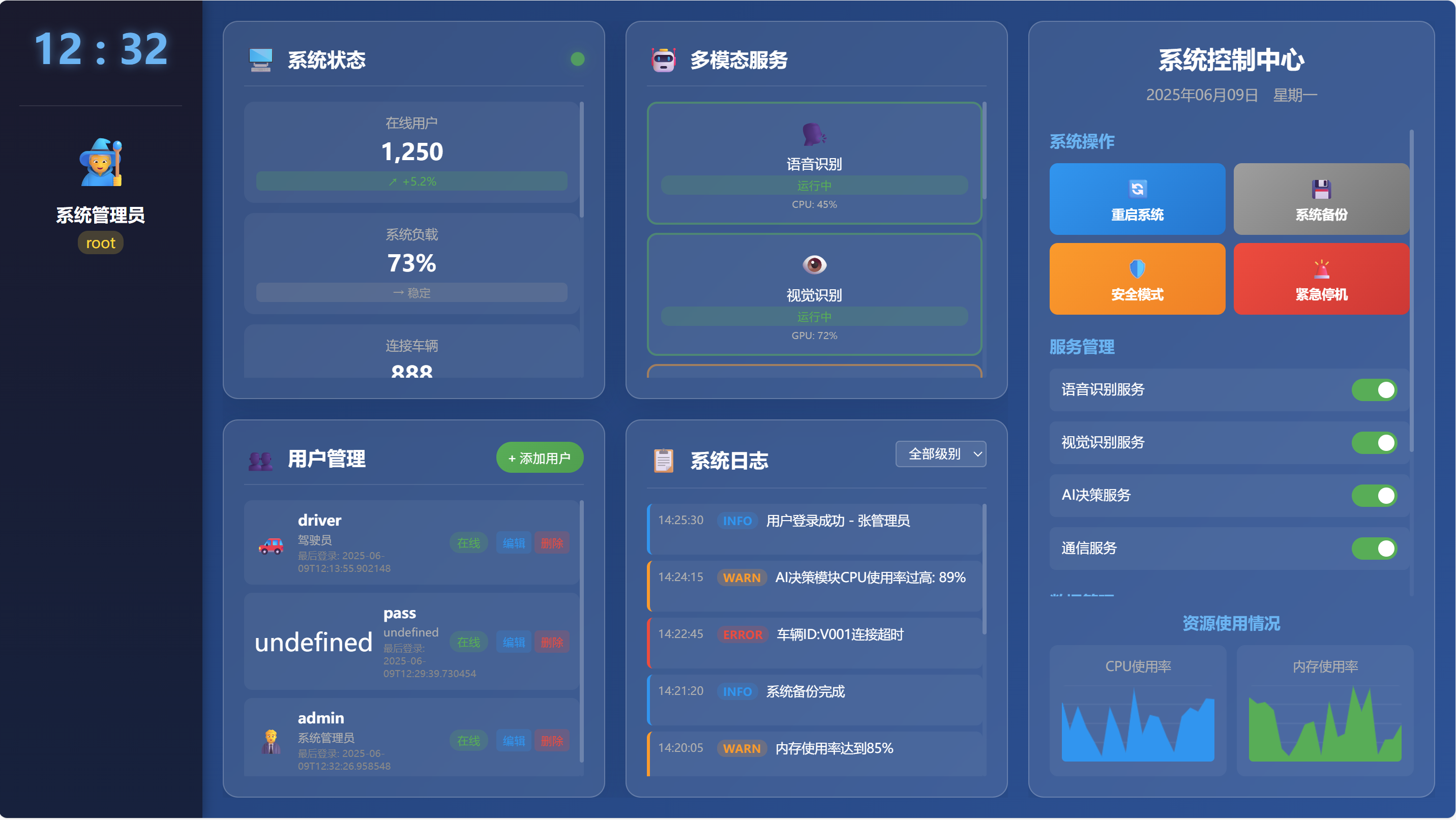
Registration distinguishes drivers, passengers, maintenance staff, and administrators. The administrator view shown here includes user management, service status, and system logs.
Scope
The source material is a team presentation of a browser-based prototype, including interface screenshots and demonstrations. It documents proposed driving use cases and implemented modules but does not establish production vehicle integration, recognition accuracy, or user-tested safety improvements.